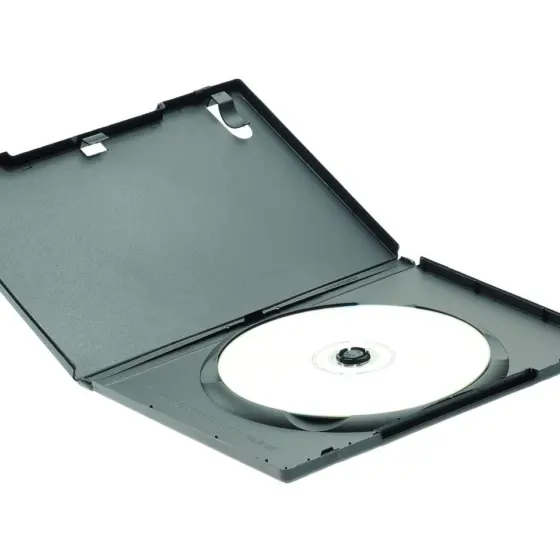

Choosing discs for your shelf? The main dvd vs blu-ray differences are capacity and laser: a Blu-ray holds 25 GB per layer against a DVD’s 4.7 GB, using a blue-violet beam.
This page is one part of the wider guide to film collecting for beginners.
| Item | Value |
|---|---|
| DVD capacity, single layer | 4.7 GB |
| Blu-ray capacity, single layer | 25 GB |
| DVD capacity, dual layer | 8.5 GB |
| Blu-ray capacity, dual layer | 50 GB |
| DVD laser wavelength | 650 nm |
| Blu-ray laser wavelength | 405 nm |
These figures come from a Panasonic Blu-ray player manual and a Sony Blu-ray player manual. Specifications can change, so check the source before you rely on them.
What actually separates a DVD from a Blu-ray?
On the outside the two discs are twins. A Panasonic manual says the Blu-ray Disc has the same dimensions as the DVD: 12 cm in diameter and 1.2 mm in thickness (Panasonic manual). Size will not tell you which format you are holding, because the difference sits inside the disc.
The same manual lists these technical contrasts between the two formats:
- Laser: DVD reads with a red 650 nm laser, Blu-ray with a blue-violet 405 nm laser.
- Lens: the numerical aperture is 0.6 for DVD and 0.85 for Blu-ray.
- Track pitch: 0.74 µm on a DVD, 0.32 µm on a Blu-ray.
- Cover layer: 0.6 mm on a DVD, 0.1 mm on a Blu-ray.
Put together, the manual says a Blu-ray’s laser spot is only about one fifth the size of the one a DVD uses (Panasonic manual). A smaller spot lets the data be packed far more tightly, which is where the extra capacity comes from.
Capacity: how much more a Blu-ray holds
Sony’s manual lists a single-layer Blu-ray at 25 GB and a dual-layer one at 50 GB, against 4.7 GB and 8.5 GB for the two DVD versions. For scale, it puts a CD at 700 MB (Sony manual). In its words, a Blu-ray Disc offers five times the capacity of DVDs.
The DVD has its own ways of growing. Wikipedia’s DVD entry lists double-sided versions at 9.4 GB with one layer per side and 17.08 GB with two layers per side (Wikipedia). A double-sided DVD means flipping the disc, though, while a Blu-ray reaches its figure on one side.
One caution on the numbers: the Panasonic manual’s footnote counts 1 GB as 1 billion bytes and warns that usable capacity will be less (Panasonic manual). Treat every capacity as a ceiling, not a promise.
Picture, sound and interactive extras
Capacity is not the only gap. The Panasonic manual describes Blu-ray as built for high-definition video, and it lists several features that go with the format:
- Video codecs: besides the MPEG-2 format used by DVD-Video, a Blu-ray can use MPEG-4 AVC and VC-1.
- Resolution: the BD-ROM video formats include 1920 x 1080.
- Data rate: a maximum transfer rate of 48 Mbps for Blu-ray, against 10.08 Mbps in the DVD column.
- Surround sound: optional support for formats such as Dolby Digital Plus, including 7.1-channel sound.
- Interactivity: a Java-based function called BD-J for interactive features such as pop-up menus.
All of these claims come from the Panasonic manual, which reads as a manufacturer’s description of the format. What you actually see and hear also depends on your player, your screen and how each title was mastered.
Which format suits your collection?
The specifications answer the technical question, but a collector’s choice is usually about the edition. If the film you want exists on both formats, the Blu-ray is the one the sources describe as the higher-capacity, high-definition disc. A DVD can still be the right pick when it is the only edition of a title you want.
If you are only beginning, the guide on how to start a dvd collection covers the first steps in more detail. Because both formats share the same disc diameter, the tips on how to store dvds are a useful starting point for either.
Disc types you may meet on the shelf
Both formats come in several variants, and the labels matter when you buy second-hand. Sony’s manual names three Blu-ray media types (Sony manual):
- BD-ROM: a read-only format for HD movies, music, software and games.
- BD-R: a recordable format for HD video recording and PC data storage.
- BD-RE: a rewritable format for the same uses.
Wikipedia’s disc family list also shows Blu-ray 3D and 4K Blu-ray (Ultra HD Blu-ray) as Blu-ray types, and DVD-Video alongside recordable versions such as DVD-R and DVD+RW (Wikipedia). Read the packaging carefully, since a recordable disc and a pressed film release are not the same thing.
For historical context, the same entry gives the US release date of the DVD as March 24, 1997 (Wikipedia).
Frequently asked questions
How much more does a Blu-ray hold than a DVD?
Show answer
Sony’s manual says a Blu-ray offers five times the capacity of a DVD, with 25 GB against 4.7 GB for a single layer (Sony manual).
Is a Blu-ray the same size as a DVD?
Show answer
Yes. The Panasonic manual gives both a diameter of 12 cm and a thickness of 1.2 mm (Panasonic manual).
Why does Blu-ray use a different laser?
Show answer
A shorter wavelength makes a smaller spot. The Panasonic manual contrasts a 405 nm laser for Blu-ray with 650 nm for DVD (Panasonic manual).
What is BD-J?
Show answer
It is a Java-based extended function on Blu-ray discs that provides interactive features such as pop-up menus, according to the Panasonic manual.
What do BD-R and BD-RE mean?
Show answer
BD-R is the recordable Blu-ray format and BD-RE the rewritable one, per the Sony manual.